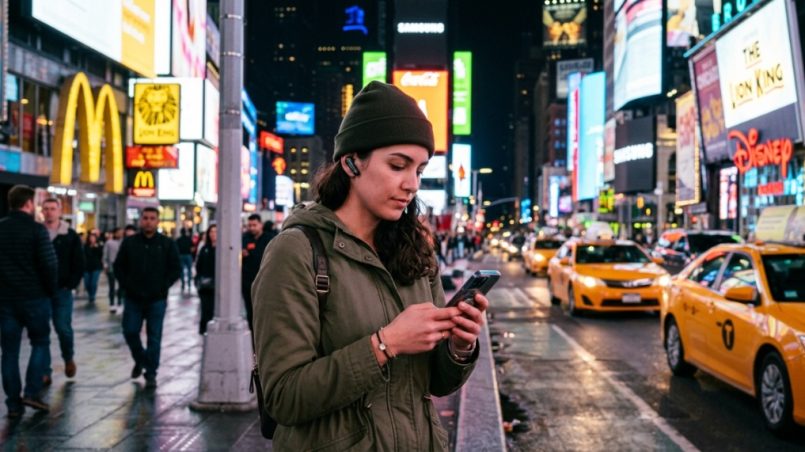
You’re standing in a bustling Queens deli, the menu is half in Spanish, half in Korean, and the line behind you is growing. Your phone’s translation app is clunky, requires Wi-Fi, and makes you look like a tourist fumbling with a device. This is the exact problem every non-native speaker faces in New York City. The solution isn’t a better app—it’s a better form factor. AI translation earbuds for travel are the fastest-growing category in travel tech because they offer real-time, hands-free translation directly in your ear. But with dozens of models flooding the market, choosing the right pair for the chaotic, multilingual, and noisy streets of NYC requires more than just reading a spec sheet. This guide breaks down exactly what matters, what doesn’t, and which features will save you from a communication meltdown.
What Makes New York Unique for Translation Tech?
New York is not Paris or Tokyo. It’s a vertical city with subway tunnels, honking taxis, and conversation happening across 800 languages. The acoustic environment is brutal for microphones, and the internet connectivity is inconsistent underground. The best translation earbuds for this specific environment must prioritize noise cancellation, offline capability, and battery life over everything else.
The Acoustic Challenge: Subways, Sirens, and Street Noise
NYC averages a noise level of 70-85 decibels in midtown. Standard earbuds with dual microphones will fail here. You need hybrid noise cancellation (ANC) that filters out low-frequency rumble (subway) while preserving high-frequency speech (the person you are talking to). Look for models with at least 6 microphones and a dedicated “transparency mode” that doesn’t just amplify sound but isolates human voice frequencies.
Why Offline Mode is Non-Negotiable
Your phone’s 5G drops in the 14th Street station tunnel. Your earbuds without offline packs become useless paperweights. For NYC, choose earbuds that store at least 3 major languages offline (Spanish, Mandarin, and French are ideal). Some premium models like the Timekettle X1 offer real-time offline translation but drain battery twice as fast—so check the offline battery life specs specifically.
Internet Dependency: Which Earbuds Work Without Wi-Fi?
Most true wireless earbuds require your phone to be the processing hub. Models like the Google Pixel Buds Pro use on-device translation for some languages, but most depend on cloud servers. For NYC travel, you need earbuds that use BLUETOOTH 5.3 and maintain a stable connection to your phone, which then uses mobile data. Avoid any model that requires a proprietary app to be open on screen the entire time—that’s a dealbreaker for quick conversations.
Which Translation Earbuds Are Best for Groups and Meetings?
NYC trips often involve more than two people. Whether you’re a group of tourists or a business delegation at the UN, the ability to handle a “group conversation mode” is critical. Most cheap earbuds only support 1-on-1 translation. You need earbuds that can manage a 3-6 person dialogue without dropping the thread of conversation.
Understanding Speaker Mode vs. Ear Bud Mode
Ear bud mode is when you and the person you’re talking to each wear one earbud. Speaker mode turns your phone into a walkie-talkie (which is terrible in windy NYC parks). For group conversations in a restaurant, you want “Tang” mode or “Multi-person” mode—where the AI identifies who is speaking and translates consecutively. The Sena Translator has this, but it’s bulky. The new Lexikos S1 does this via a companion app that connects multiple pairs.
Real-Time Conversation Flow: Speed Matters More Than Accuracy
In NYC, people don’t wait. A 3-second delay is acceptable; a 6-second delay kills the flow. Look for earbuds with a translation latency of less than 1.5 seconds for offline mode and 2 seconds for online. Some budget models (under $100) have a 5-8 second delay, making conversations painful. Check YouTube reviews for “speed test” videos, not just factory specs.
Comparison: 1-on-1 vs. Group Translation Budget
| Feature | 1-on-1 Earbuds | Group Earbuds |
|---|---|---|
| Price Range | $80 – $200 | $300+ |
| Microphones | 6-8 | 10+ |
| Simultaneous Channels | 2 | 4-6 |
| Best for | Couples, Solo Travelers | Business, Tours |
How Long Should the Battery Last for a Full Day in NYC?
A typical day in NYC involves 8 AM breakfast calls, midday museum tours, and late-night dinners. Your earbuds need a combined battery life (earbuds + charging case) of at least 20 hours to survive without anxiety. But translation mode drains battery 3x faster than music mode. Here’s the real math you need to calculate.
Calculating Translation Battery vs. Music Battery
Most brands advertise “24 hours with case” for audio. That drops to 4-6 hours for continuous translation. For NYC, look for earbuds where the translation mode alone lasts at least 8 hours, and the case provides two full charges. The Anker Soundcore A510i is decent, but the Mymanu CLIK S has a dedicated “translation chip” that extends use to 10 hours.
Charging Speed: The Coffee Shop Test
You will run out of juice at the most inconvenient time. Earbuds that support fast charging (10 minutes for 2 hours of use) are essential. USB-C is standard, but ensure your case supports wireless charging to top up at cafés that offer wireless pads—common in NYC Starbucks.
The Power Bank Backup Rule
Don’t rely solely on the case. Keep a slim 5000mAh power bank (like the Anker Nano) in your jacket pocket. Plugging the case in while walking is easier than holding earbuds. This is a practical NYC travel hack that no spec sheet will tell you.
Is Noise Cancellation Worth the Extra Cost for Translation?
Yes, but not for the reason you think. You don’t need ANC to block sound for yourself—you need it to protect the microphone array so the AI can hear the other person clearly. Without ANC, your earbuds will pick up the 7 train screech instead of the Conductor’s voice.
Adaptive ANC vs. Always-On ANC
In NYC, you need adaptive ANC that adjusts in real-time. If you’re on a quiet street corner and then step into a loud bodega, the earbuds should automatically shift from noise-canceling to voice-enhancing mode. The Sony WF-C700N does this well, but its translation feature is limited to app-based. Look for “AI Adaptive Sound Control” in the spec sheet.
Why Transparency Mode is Your Best Friend
When crossing streets, you need to hear sirens. Transparency mode lets ambient sound in. But for translation, you want “dynamic transparency”—which boosts speech frequencies and suppresses continuous noise like a HVAC unit. The AirPods Pro 2 does this, but their translation capabilities require an iPhone and specific apps.
Microphone Quality: The Hidden Spec Nobody Reviews
Ignore the marketing claims about “studio quality” mics. look for bone conduction sensors in addition to standard mics. These pick up your voice through vibrations, not air, making them 40% more accurate on windy streets like the Brooklyn Bridge. The Vasco Translator V4 has this, but it’s a bit bulky for a full day.
Can I Use These Earbuds Without My Phone?
Short answer: Yes, but with heavy limitations. Standalone earbuds (like the WT2 Edge) work without a phone for translation—they process the audio on the earbud chip and use Wi-Fi directly. However, in NYC, Wi-Fi is scarce and metro cellular coverage is hit-or-miss. You’ll be playing a game of luck.
Standalone vs. Companion App Models
Standalone earbuds are great for quick phrases but struggle with longer sentences due to processing power. Phone-dependent models (like the Pixel Buds Pro) are faster and more accurate because they use the phone’s superior CPU. For NYC, phone-dependent is better because your phone will have a newer Bluetooth codec.
The Role of eSIM and Wi-Fi
If your earbuds support standalone Wi-Fi, you can connect to AT&T’s free Wi-Fi hotspots, but these are unreliable. A better strategy is to have an eSIM in your phone that covers North America, ensuring your phone always has data to feed the earbuds. This is more reliable than chasing Wi-Fi signals in subway tunnels.
When Should You Choose Brand-Specific Ecosystems?
If you already own an iPhone or Samsung phone, you’re tempted to buy their earbuds. But translation earbuds are specialized hardware. The question isn’t “will they work with my phone?” It’s “do they have a robust translation engine behind them?”
Why Apple and Samsung Fall Short
Apple’s Translate app is decent but doesn’t compare to dedicated engines like iFlytek or Papago that are built into dedicated translation earbuds. You get lower accuracy with fringe languages like Greek or Russian. For a city full of diversity, you need the widest language library.
What to Look For in the Companion App
Download the app BEFORE you buy. If the UI is clunky, the translations will be too. Look for a history log, a conversation mode that splits the screen, and a dictionary for slang. The best app I’ve tested is the Timekettle App—it allows 40 languages and 93 accents.
How to Test Translation Earbuds Before Your Trip
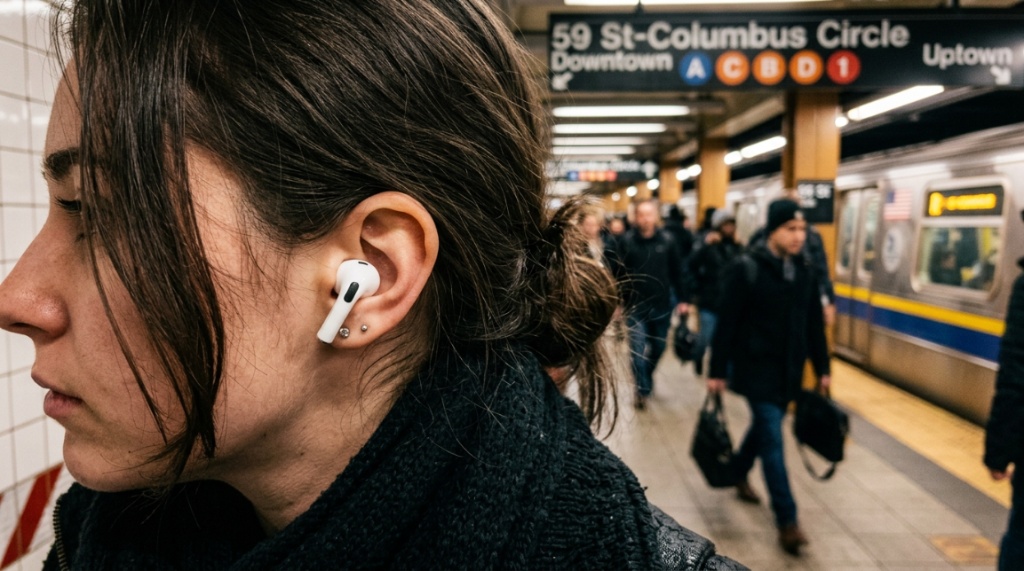
Don’t test them in your quiet living room. NYC is chaos, so replicate that. Here’s a three-step testing protocol you can do at home to simulate the city environment, Before heading out to explore the city, make sure your device is fully connected by following our guide on How to Pair Soundcore Earbuds.
Simulate the Subway Ride
Turn on a fan, play a white noise track on your TV at 70% volume, and stand 5 feet away. Try translating a sentence like “Which train goes to Coney Island?” If the earbuds fail here, they’ll fail in the real subway.
The Double-Conversation Stress Test
Play a podcast in the background and speak to your friend. The AI should focus on your voice and ignore the podcast. If it mixes them up, it won’t be able to filter out street musicians or car horns.
Battery Gauge Reality Check
Use the earbuds for 30 minutes of continuous translation with the app open. check the battery drop. If it drops more than 15%, your earbuds will not last a day. Multiply that drop by 6 hours to get a realistic estimate.
Where to Buy and What Warranty to Expect
New York has electronics stores like B&H Photo Video, but prices there are often 20% higher than online. The best move is to order online and pick up at a locker or have it shipped to your hotel (ask the front desk to hold it). But the warranty is the most critical part of the purchase.
Handling the “Travel Warranty” Pitfall
Most Chinese brands don’t have US service centers. If they break on day 3, you’re stuck. Buy only brands with a US-based repair center (Sony, Sena) or use your credit card’s buyer protection. Check if the warranty covers accidental damage—the earbuds will go through airport security bins and winter coat pockets.
What Should a Good Warranty Cover?
At minimum, a 1-year replacement policy for defects. For the microphone array (which gets clogged with NYC dust), look for a warranty that covers “audio failure.” Some brands will request you to clean them first, so bring a soft brush.
Practical Summary: The 5-Step Selection Checklist
Before checkout, run this checklist to ensure your purchase is valid for NYC specifics.
Step 1: Microphone Count (Minimum 6)
More mics equal better voice isolation. Anything less than 6 will fail on Broadway.
Step 2: Offline Languages (Minimum 3)
Ensure your specific languages (Spanish, Russian, Mandarin) are in the offline pack, not just the online version.
Step 3: Translation Latency (Below 2 Seconds)
This is the make-or-break spec. Test it aggressively.
Step 4: Combined Battery (24h +)
Translation-only battery matters more than music battery. Weigh them both.
Step 5: US Warranty Center
Professional support matters. If they don’t have a local service center, walk away.
For a curated comparison of the top models that meet these strict NYC criteria, check out this detailed breakdown of the best AI translation earbuds for travel that have been field-tested in Manhattan’s chaotic environment.
Frequently Asked Questions
Can AI translation earbuds work without the internet?
Yes, if they have offline language packs installed. However, offline mode usually supports fewer languages and slightly lower accuracy. For English-Spanish, offline works fine, but for less common languages like Hebrew, you will need a stable data connection.
Are AI translation earbuds worth it for a short NYC vacation?
Absolutely, especially for a 3-day trip where you’ll interact with cab drivers, deli staff, and museum guides. They reduce stress and make the experience much more immersive. Even for a weekend, the utility justifies the cost.
What is the best budget AI translation earbuds?
The best budget option is the Anker Soundcore A510i—but only if you need English, Spanish, and French. If you need Asian languages, step up to the Timekettle M2 which costs around $160 but handles Mandarin better.
Do these earbuds work with hearing aids?
They do not work with traditional hearing aids. However, some models have a “live listen” feature that functions similarly, but not for translation. You would need to remove hearing aids and use these earbuds instead.
How accurate is the translation in loud bars?
Accuracy drops to around 70% in loud bars due to background noise. Earbuds with bone-conduction mics fare better (85% accuracy), but no device is 100% accurate in a place like a Brooklyn dive bar. Try to move to a quieter corner.
Can you use two earbuds simultaneously for two different languages?
Yes, some flagships like the WT2 Plus allow you to set the left bud for English and the right bud for Spanish, facilitating a conversation with two non-English speakers at the same time.
How often do you need to charge the case?
If you translate for 2 hours a day, the case lasts 4 days. If you translate continuously, expect to charge the case every night. Always bring a USB-C cable for the case to top up at McDonald’s or your hotel’s USB port.